
The Stopwatch is designed for real-time tracking. It eliminates guesswork by allowing team members to capture time exactly as it happens, ensuring every billable second is accounted for.
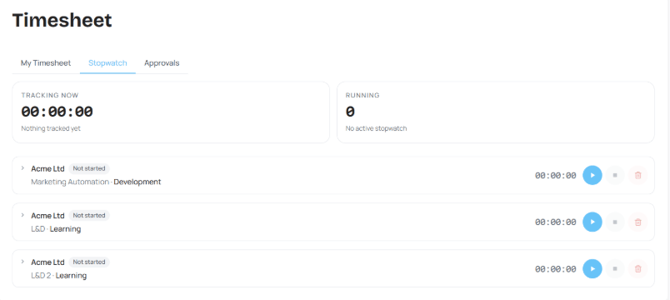
- Navigate to Timesheet > Stopwatch. Click the Play button on any assigned task to begin recording. Tracking Now shows the live display of your active session, while the Running count shows how many active sessions you have.
- Press the Stop button to end your session. This automatically saves the duration as a timesheet draft, ready for review and submission.
- Before it is sent for submission, you can edit your Stopwatch time record in the Timesheet page.
Tip: The duration of your Stopwatch time entry is determined by Project Settings. If a minimum duration is configured (e.g., 60 minutes), any session shorter than that limit will automatically be rounded up as a full hour in the drafts.
Next: Geographical Variations